PicoAI Story Studio Review 2026 — The All-in-One AI Film Studio Tested
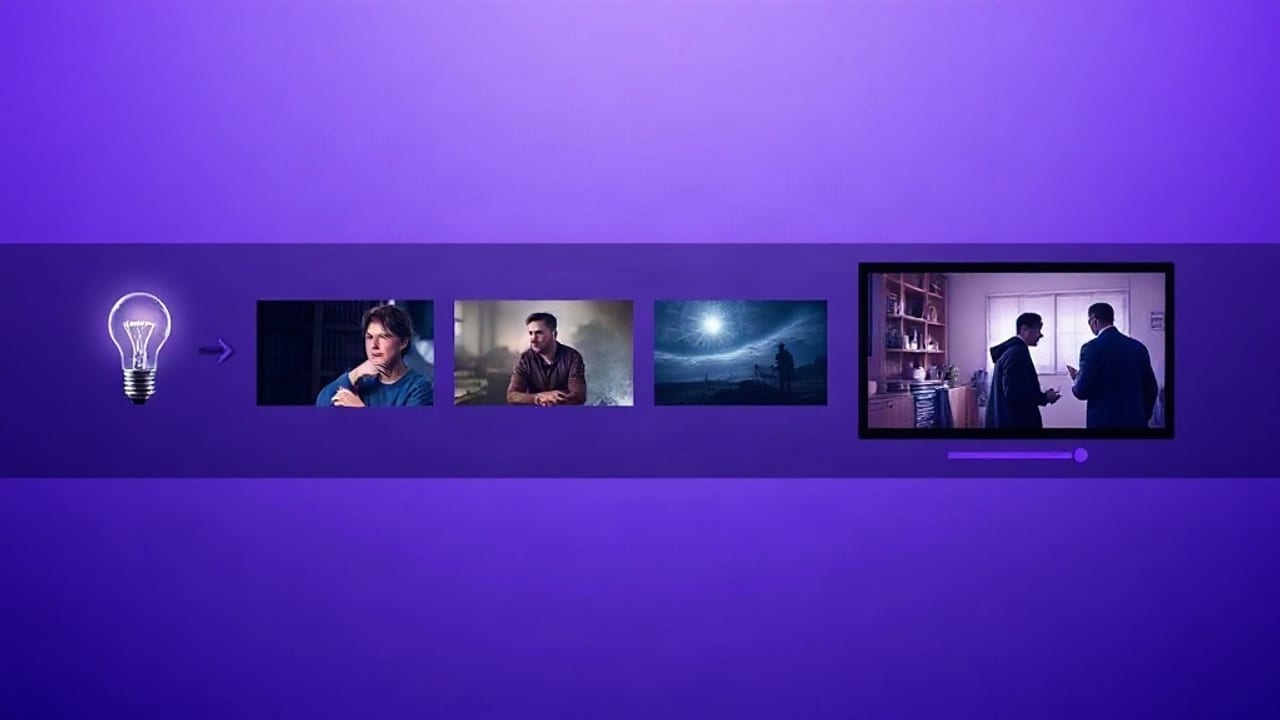
Most AI video tools do one thing. Story Studio tries to do the entire production chain — script to published YouTube video — in one browser tab. Here's what it actually does, what it costs, and who should use it.
What Is PicoAI Story Studio?
PicoAI Story Studio is a browser-based AI film production studio. You type a concept in one sentence and it produces a finished video: AI-written script, designed characters, generated scenes, voice narration, original music, a subtitle track, and a direct upload to YouTube.
The positioning is unusual. Most AI video products are single-purpose — one generates clips, another does voice, another edits. Story Studio's bet is that creators lose more time moving files between tools than they do in any individual step.
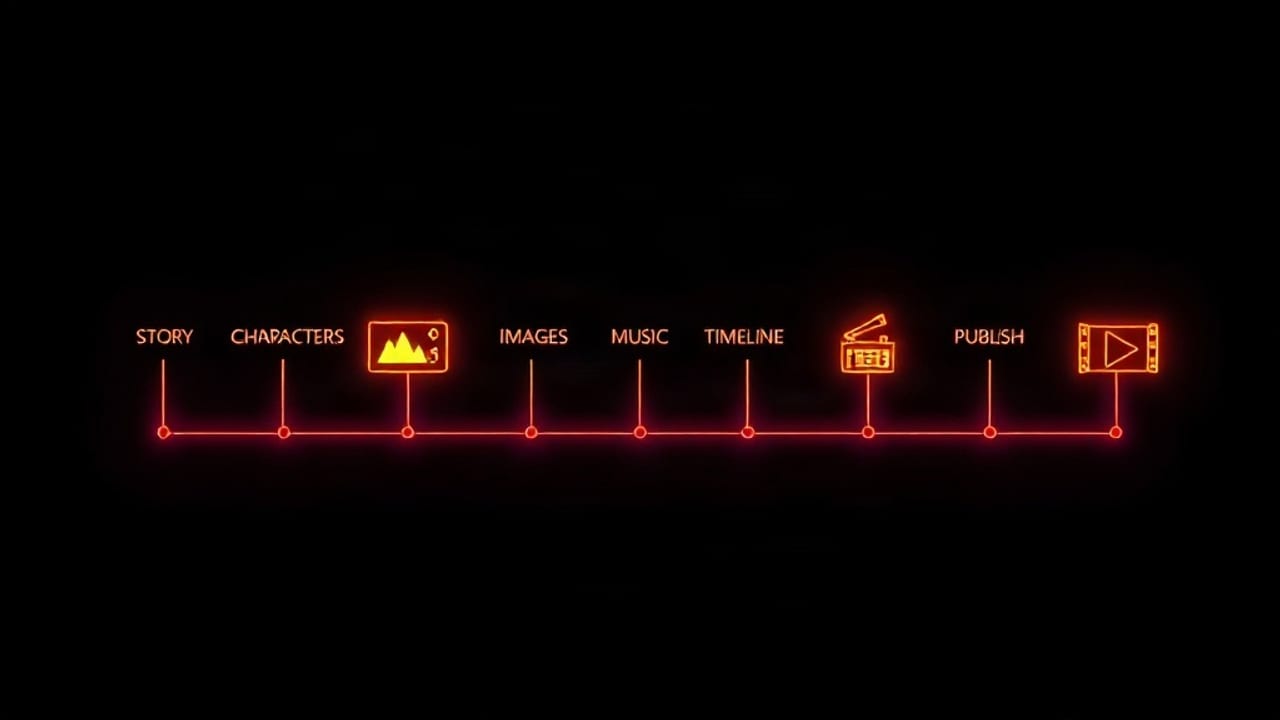
The Full Pipeline
1. Story & Script
You provide a concept and choose genre, target length (20 seconds to 5 minutes) and language. The AI returns a structured script. You can request twists, subplots and conflicts rather than accepting the first draft.
2. Character Studio
Characters are first-class objects, not just prompt text. Each has a name, age, role, traits and a portrait — and that portrait is reused as a visual reference so the same face appears across scenes. This is the feature most competing tools lack entirely.
3. Scene Images
Every beat of the script becomes a cinematic image. You choose from eleven image models split into "generate" (text-only) and "edit with reference" (character-consistent) groups, ranging from 20 coins for Flux Schnell up to 900 for GPT Image 2 Edit. Any scene can be regenerated individually without touching the rest.
4. Voice Narration
Per-scene voiceover in multiple languages and accents, with a preview before rendering. A neutral built-in voice is effectively free; premium HD voices cost a small amount per scene.
5. AI Music
Original instrumental or vocal tracks with preset moods — epic, dark, folk, cyberpunk, upbeat, jazz — or upload your own track.
6. Video Timeline
A real drag-and-drop clip editor with trim, split, rearrange and full undo history. FFmpeg renders the final movie server-side, with Ken Burns zoom and configurable subtitle styling.
7. Export & Publish
Direct YouTube publishing, with AI-generated titles and descriptions. There is also a scheduler that produces and publishes videos automatically on a recurring timetable, plus optional Instagram posting via Zapier.
The Standout Feature: Top Video Inspiration
When enabled, the pipeline reads your channel's best-performing videos — ranked by views, with likes, comments and engagement rate — and instructs the script and title generator to reproduce the patterns that already worked on your audience: hook style, pacing, emotional angle and title construction. It does not copy content; it copies the structure that earned the views.
For anyone running an automated channel, this is the difference between publishing volume and publishing volume that compounds.
Pricing
| Plan | Price | Coins |
|---|---|---|
| Free on signup | $0 | 500 coins |
| Pro subscription | $6.99/month (7-day free trial) | 10,000 coins/month |
| Coin pack | $1 | 1,000 coins (never expire) |
| Coin pack | $2.50 | 2,500 coins |
| Coin pack | $10 | 12,000 coins |
Story Studio itself is subscription-exclusive. Typical per-video costs: a 3-scene Short with basic images and narration runs roughly 70-100 coins; using premium character-reference models pushes that to 1,000+ coins. In practice a Pro subscription comfortably covers a steady Shorts schedule.
What It Does Well
- Genuinely end-to-end — no file shuffling between six tools.
- Character consistency — reference-image models are built into the core workflow, not bolted on.
- Model choice — eleven image models with transparent per-generation coin pricing.
- Real automation — scheduled generation and publishing, not just generation.
- Cheap to trial — 500 free coins plus a 7-day trial.
What to Be Aware Of
- Story Studio requires an active trial or Pro plan — it is not part of the free tier.
- Premium character-reference models are considerably more expensive per image; plan your coin budget around them.
- Scene images are still images with motion effects rather than fully generated video clips, which suits narrative and documentary formats better than action.
- It is browser-based, so rendering long movies depends on server queue rather than your local GPU.
Who Should Use It
Strong fit: faceless YouTube and Shorts channels, storytellers, educators, marketers producing volume, and anyone who wants an automated publishing pipeline.
Weaker fit: filmmakers who need frame-level control over live-action footage, or teams already invested in a full Adobe pipeline.
Verdict
Story Studio is the most complete single-tab AI video pipeline available at this price point in 2026. The combination of character consistency and scheduled auto-publishing is what makes it more than a novelty — it is a production system. At $6.99/month with a free trial, the cost of finding out is close to zero.
Start free at storystudio.picoai.app.
Frequently Asked Questions
How much does PicoAI Story Studio cost?
New accounts receive 500 free coins. The Pro subscription is $6.99/month for 10,000 coins with a 7-day free trial. One-time coin packs are also available from $1 for 1,000 coins, and those never expire.
Is Story Studio free to use?
You can create an account and get 500 free coins, and the subscription includes a 7-day free trial. Story Studio itself requires an active trial or Pro plan.
Can Story Studio publish directly to YouTube?
Yes. You connect your YouTube account and it uploads the finished movie with an AI-generated title and description. It can also run on a schedule, producing and publishing up to 5 videos per day automatically.
Does Story Studio keep the same character across scenes?
Yes, when you attach characters to scenes and select an 'Edit with Reference' image model. The character's stored portrait is passed to the model as a reference so the face carries across every scene.
What languages does the narration support?
Narration is available in English, British English, Spanish (Spain and Mexico), French, German, Italian, Portuguese, Japanese, Chinese and Korean, with both standard and premium HD voices.
Try PicoAI Story Studio free — turn any idea into a finished AI video.